Neon Rush and Packet Snake: The Games Inside HomeDock OS
A synthwave racer and a snake that eats your apps: how the two games of HomeDock OS 2.6 play, and how every model, texture and note in them is made in code
 Claudio González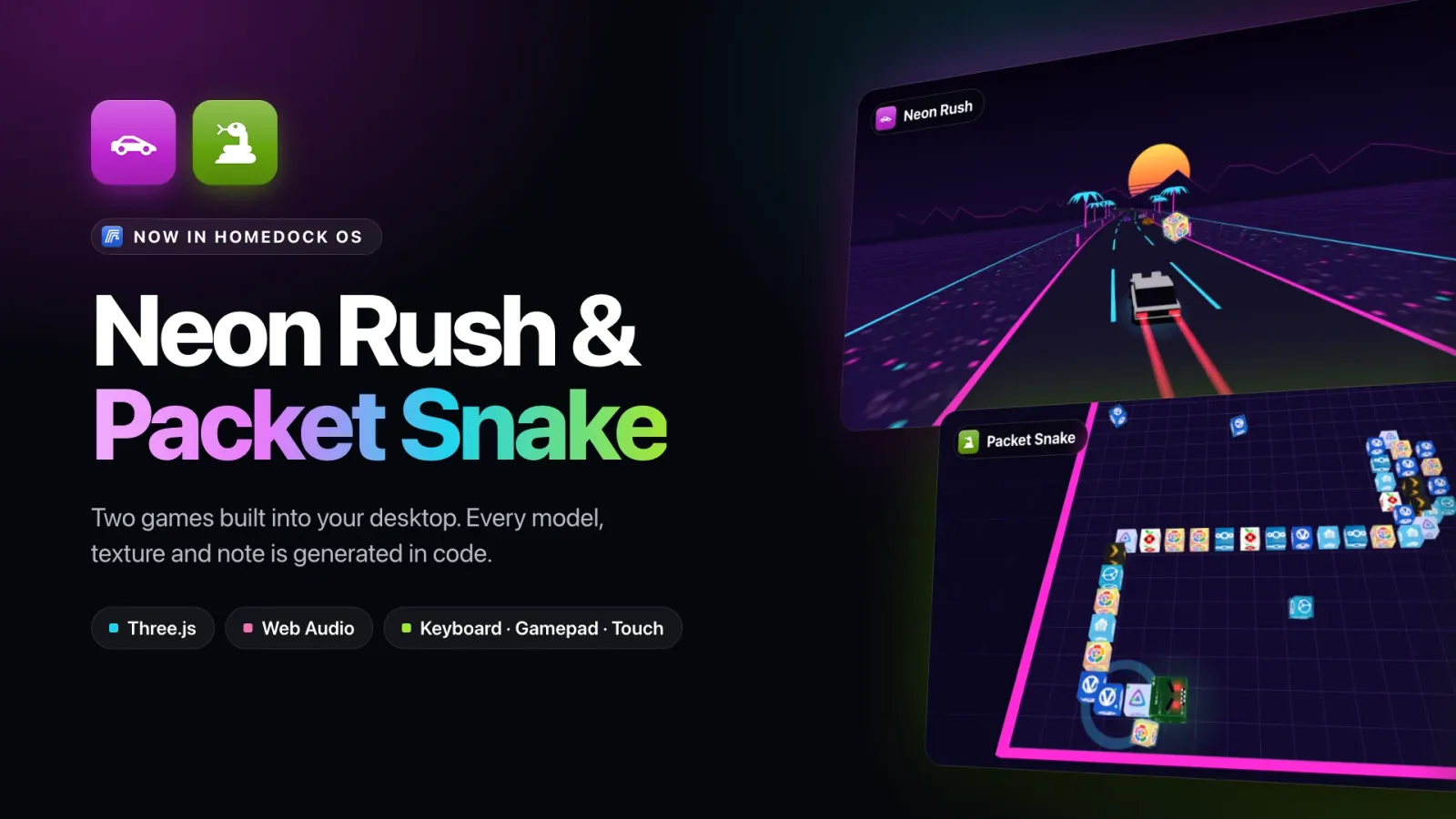
Summarize with AI
Get the key points in your languageEvery self-respecting operating system ships a game. Windows had Solitaire and Minesweeper, old Nokias had Snake, and for a while every Mac came with a chess board. So when HomeDock OS 2.6 landed, it came with two: Neon Rush and Packet Snake.
The release post gave them two paragraphs, which is about what a game gets in a changelog full of terminals and Task Managers. This post is the long version: how they play, the small things you only find on your third run, and how they’re made, because there’s a fun detail in there: neither game ships a single image, 3D model or audio file of its own. Everything you see and hear is generated by code while you play.
Where to Find Them
Both live in their own Games section, in My Home and in the File Explorer. They stay out of the Start menu and Finder on purpose: your desktop is for work first, and nobody wants a racing game as the top hit when they search for “Notes”. Drag them to the desktop or into a folder if you want them closer; they behave like any other app there.
They also don’t cost you anything until you open them. Each game is its own chunk that only downloads the first time you launch it, and the moment its window loses focus, gets minimized or your tab goes to the background, the game pauses and stops rendering altogether. A game you’re not looking at uses no GPU at all.
Neon Rush: An Endless Synthwave Highway
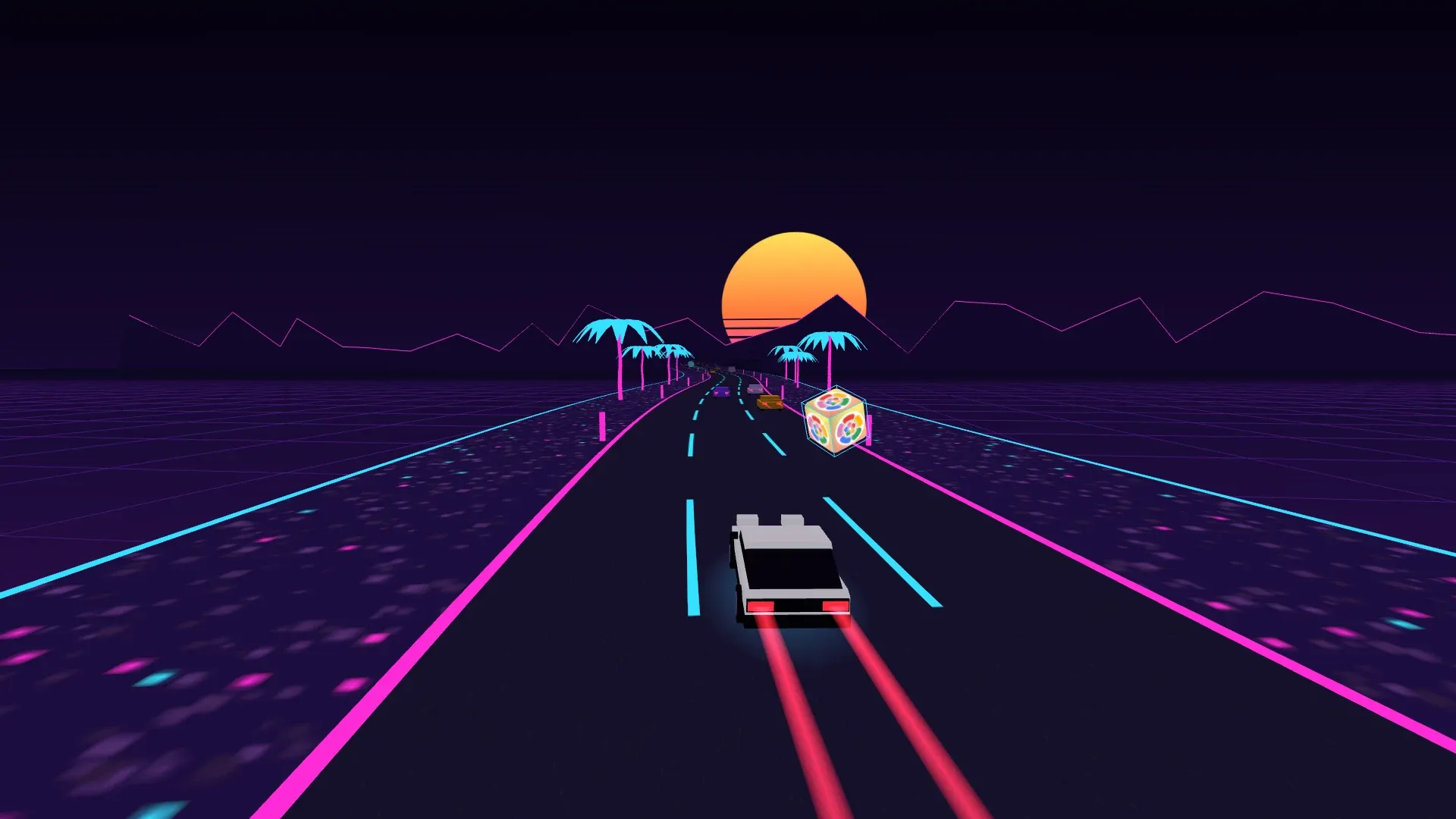
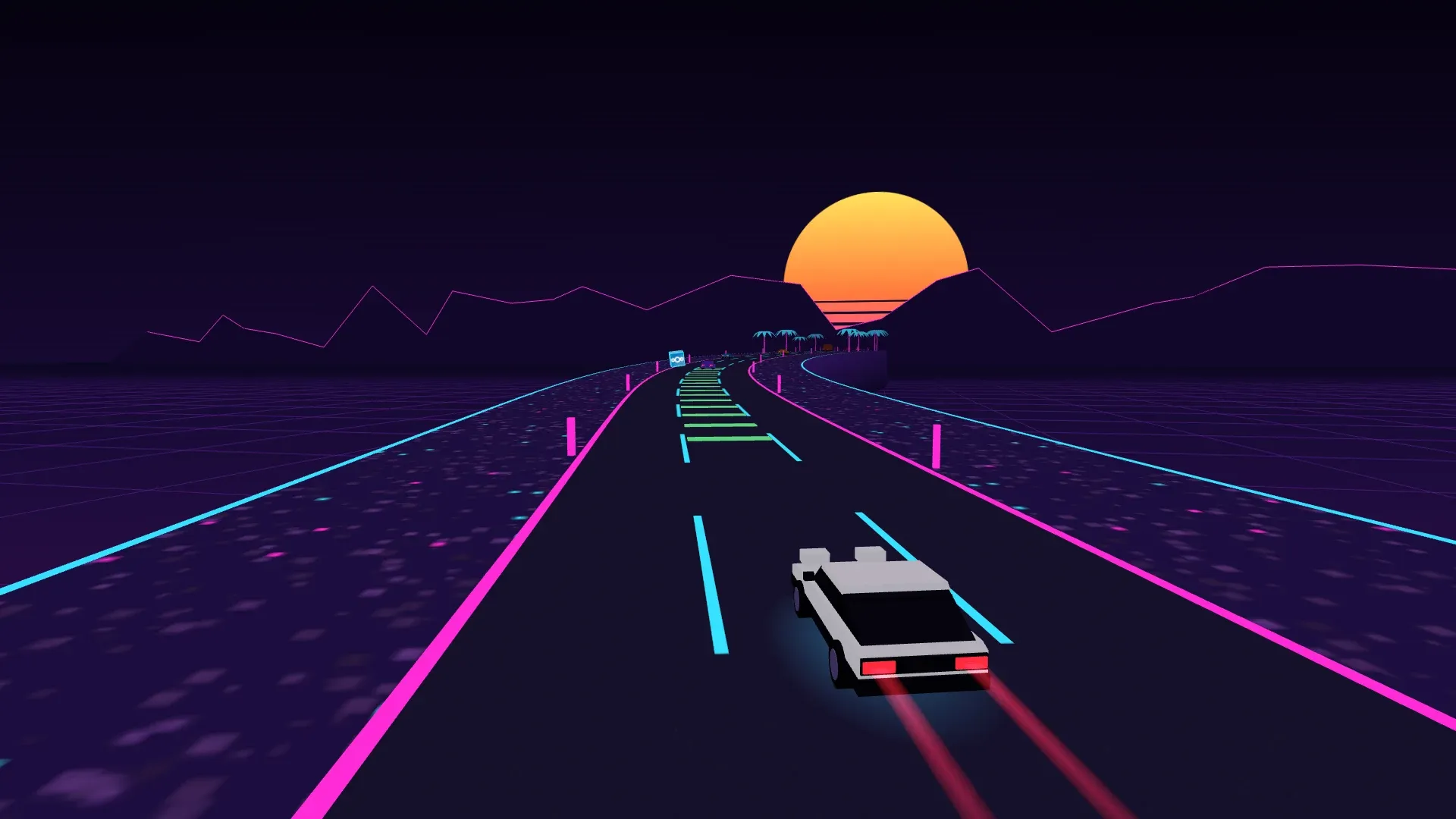
Neon Rush is an endless arcade racer down a highway that never ends: a pink and cyan road, a striped sunset, palm trees, traffic to dodge and a boost to burn. You drive a black and white hatchback with its pop-up headlights up, and if that sounds familiar, yes, it’s a nod to a certain mountain pass tofu delivery driver. More on the tofu in a minute.
You start at about 150 km/h, and the cruising speed creeps up to 360 km/h over the first two minutes. Hold boost and you go a third faster on top of that, with the field of view widening and your taillights stretching into long red trails behind you.
Boost, Paid For With Your Own Apps
The boost doesn’t refill by itself. You start with half a tank, it burns out in about three seconds of holding the button, and the only way to get it back is to grab the spinning cubes floating over the road, each one wearing the icon of one of your installed apps. Every cube gives you back a third of a tank. So yes, you can literally run over your Jellyfin for speed. If you haven’t installed anything yet, the cubes wear the HomeDock OS logo instead.
Health, Brakes and Somewhere to Fix Them
You don’t die on the first hit. Your car has health, and each crash takes a quarter of it along with almost half your speed. Right after a hit, the car turns into a blinking cyan wireframe for a second and a half while you can’t be hurt again, and then the paint sweeps back over it from the rear bumper to the nose. Leave the road and the gravel slows you down and chips away at your health too.
The brakes wear out as well. A full set lasts about seven seconds of braking, and there’s a gauge for them next to your health. Fixing both is up to you:
- • Repair lanes. Every few hundred metres, one lane is painted with glowing green stripes. Drive the whole stretch inside that lane and you get some health and brakes back. Half the stretch, half the repair.
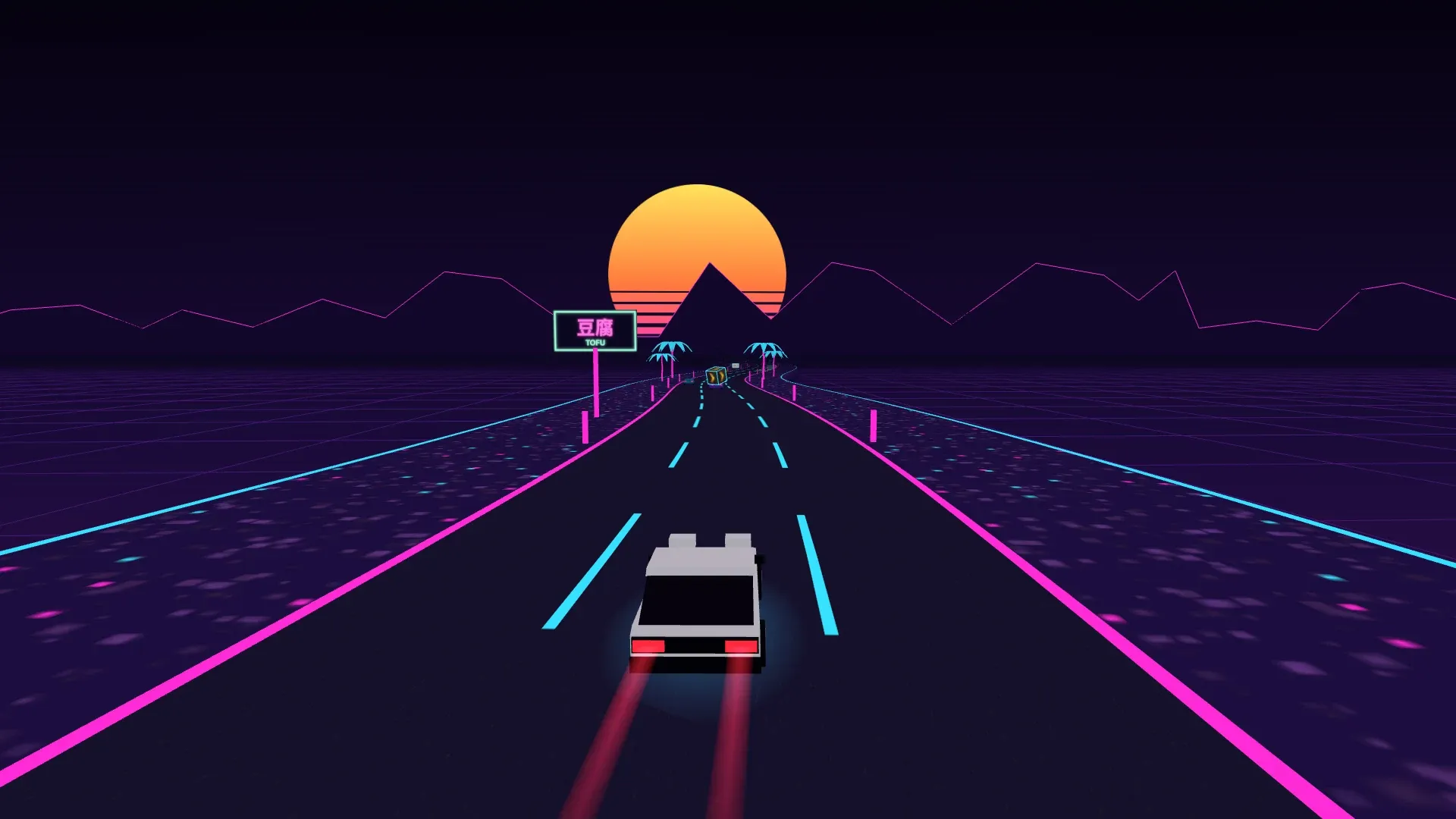
- • Tofu. Every two or three kilometres, a block of tofu floats in one of the lanes, announced by a neon 豆腐 sign 200 metres earlier. Grab it and your health and brakes go straight back to 100%, with a flash across the screen. A delivery is a delivery.
Yes, You Can Drift
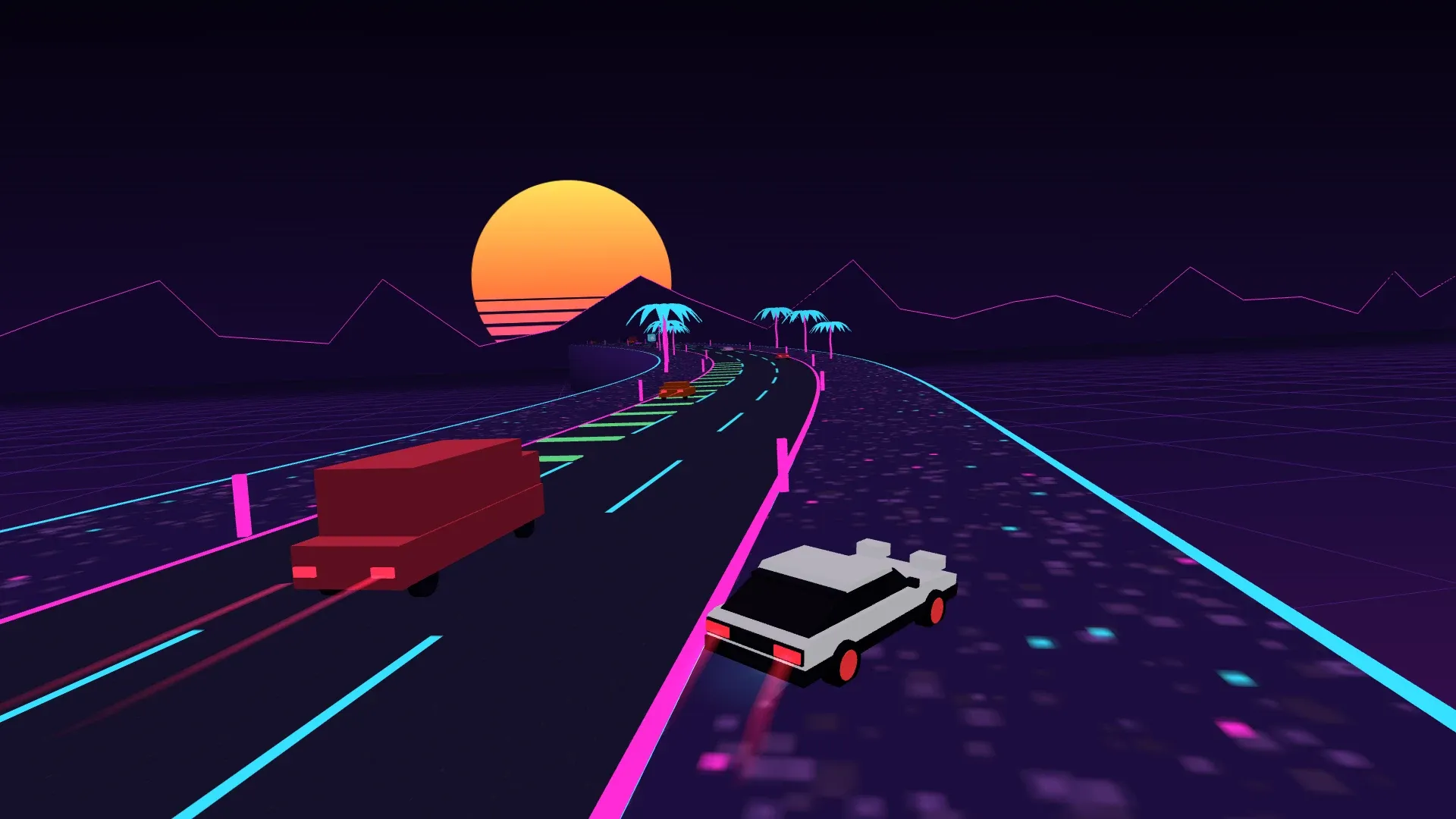
Brakes aren’t only for slowing down. Brake while you steer above roughly 110 km/h and the car drifts: the rear steps out, the camera rolls into the corner, you turn almost twice as sharply, and the rims start glowing red-hot the longer you hold it, cooling back down once you let go. It’s the fastest way through a tight bend, and the most expensive one for your brake gauge.
Want to feel it without the traffic? This is the Neon Rush HUD and engine on their own, with sound: any button starts it. Hold Gas and listen to it climb through the six gears, burn some nitro, drift until the rims glow, and grab a cube or a block of tofu when you run low. Crash, too, if you like:
Click here and use the keyboard: ↑ or W for gas, Space for nitro, ↓ or S to brake, ← → to drift.
The Road Keeps Changing
The highway starts with three lanes and gently straight. The curves and hills fade in over the first kilometre, so the first seconds of every run are a warm-up rather than a wall. At 6 km a fourth lane opens, and at 12 km a fifth. From there on, the outer lanes start closing for stretches of 500 to 900 metres and the traffic has to squeeze in, merging towards the centre before the lane runs out, the way real drivers do (well, the good ones).
Traffic grows with you: six cars at the start, one more every 700 metres, up to eighteen, in three body styles, one of them a lot longer than the rest. And there’s one promise the game always keeps: traffic never forms a wall across every open lane. If three cars ever drift into a line that would block the whole road, the one behind eases off and the one in front speeds up until a gap opens. Every crash in Neon Rush is avoidable. Whether you avoid it is another matter.
To help, a minimap in the corner shows the next 600 metres of road, with the curves drawn wider than they really are so you can read them at a glance: yellow squares for traffic, cyan diamonds for boost cubes, and a white square when there’s tofu coming.
Here’s that minimap with the traffic taken out, next to the formula that draws the road. Turn the waves on and off to see what each one adds, or drag along the lanes bar to jump to the 6 and 12 km marks and watch the road widen:
Controls
- • Keyboard: arrow keys or
WASD. Left and right steer, up (orSpace, orShift) boosts, down brakes. - • Gamepad: plug one in and it just works. Stick or d-pad to steer,
Aor the right trigger to boost,Bor the left trigger to brake. - • Phone or tablet: touch the left or right half of the screen to steer, and hold the bolt and brake buttons.
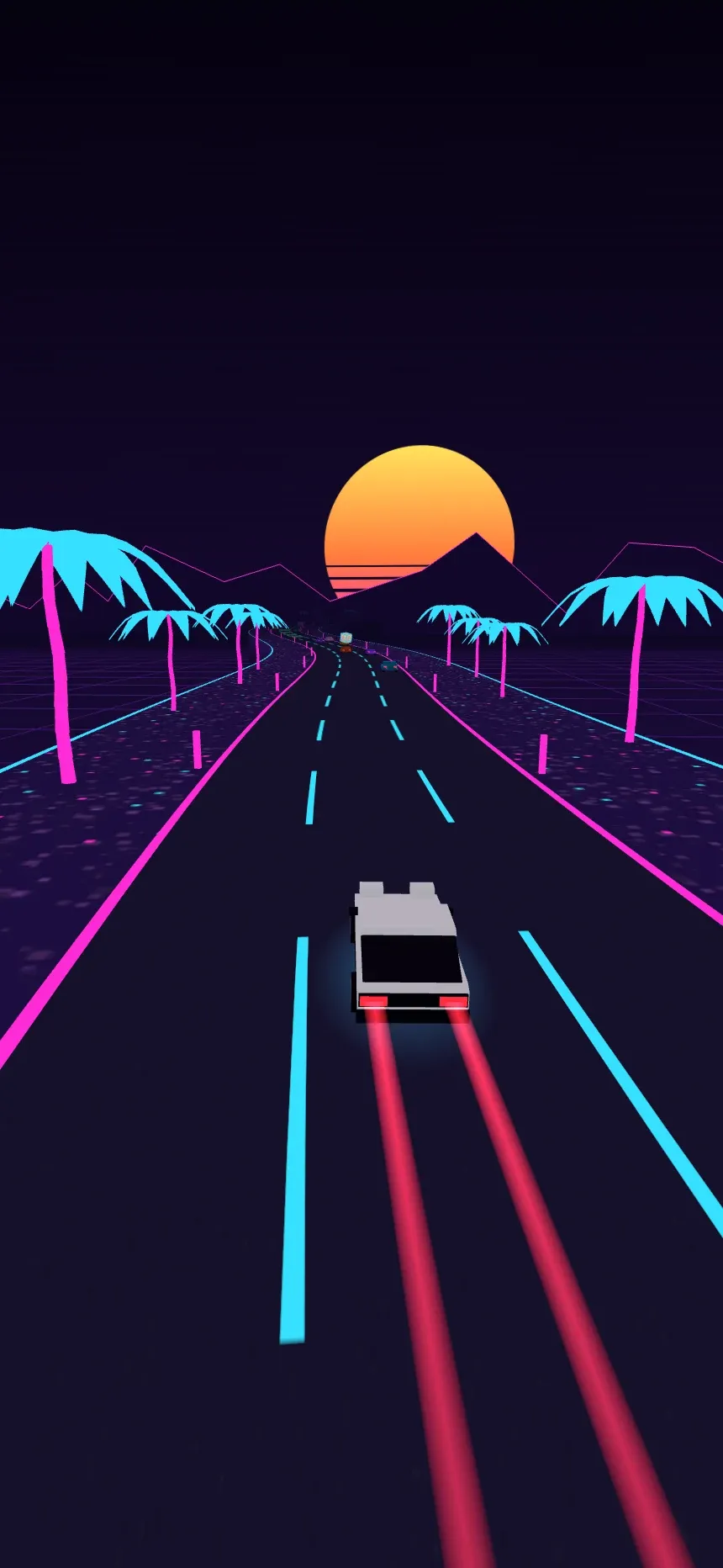
Neon Rush plays in any window shape, from an ultrawide monitor to a phone held upright. It keeps the same sideways field of view whatever the window, and on a portrait screen it tilts the camera down towards the road, so you see the traffic coming instead of a lot of sky.
Packet Snake: The Snake That Feeds on Your Apps
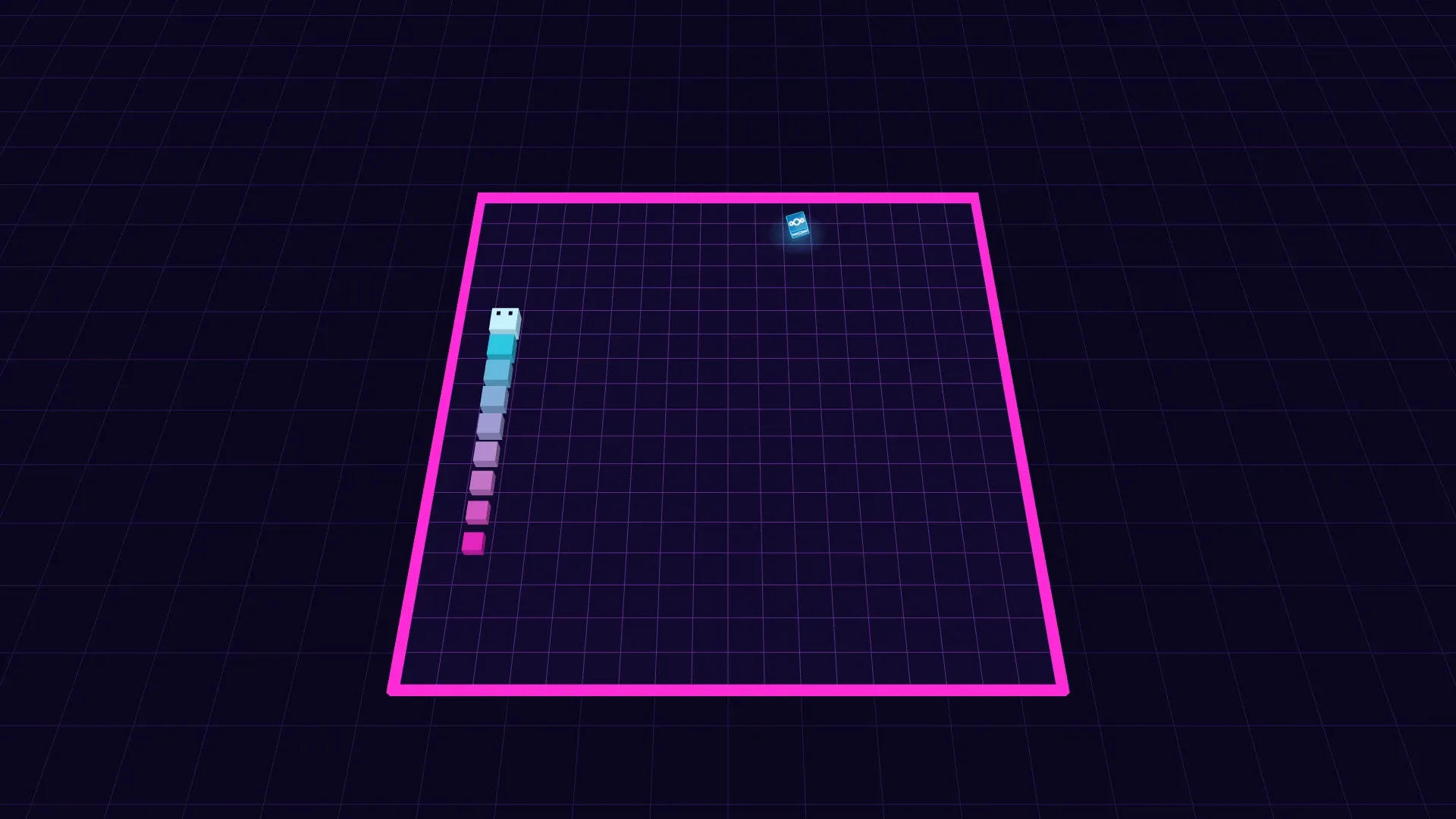
Packet Snake is the classic snake, on a neon grid seen from above at an angle, and what it eats are packets wearing the icons of your installed apps. So your Nextcloud finally feeds something.
It looks simple, and it’s meant to, but it keeps changing under you:
- • The board grows. You start on an 18 by 18 grid. Every ten packets the board gains a row and a column, up to 30 by 30: the walls flash white, the new strip lights up and the camera shakes. It grows on alternating sides, so the board stays centred instead of drifting off to one corner.
- • The snake speeds up. Every packet makes it a little faster, from a step every 170 milliseconds down to one every 70.
- • The camera pulls back as your score climbs, so a longer snake on a bigger board still fits on screen.
- • The music speeds up with it. Packet Snake has its own chiptune that starts at 150 beats per minute and gains a beat for every two packets you eat, up to 240. Around your hundredth packet it gets frantic, which is roughly how you’ll feel too.
Quick turns don’t get lost either: the game remembers up to two turns ahead, so a fast left-left to double back along a wall does exactly what you meant.
This is Packet Snake’s soundtrack and sound effects, on their own. Press play and drag the packets slider to hear the chiptune go from a stroll to a sprint, eat packets one by one to hear each one land a little higher, or crash and start over:
sudo -s
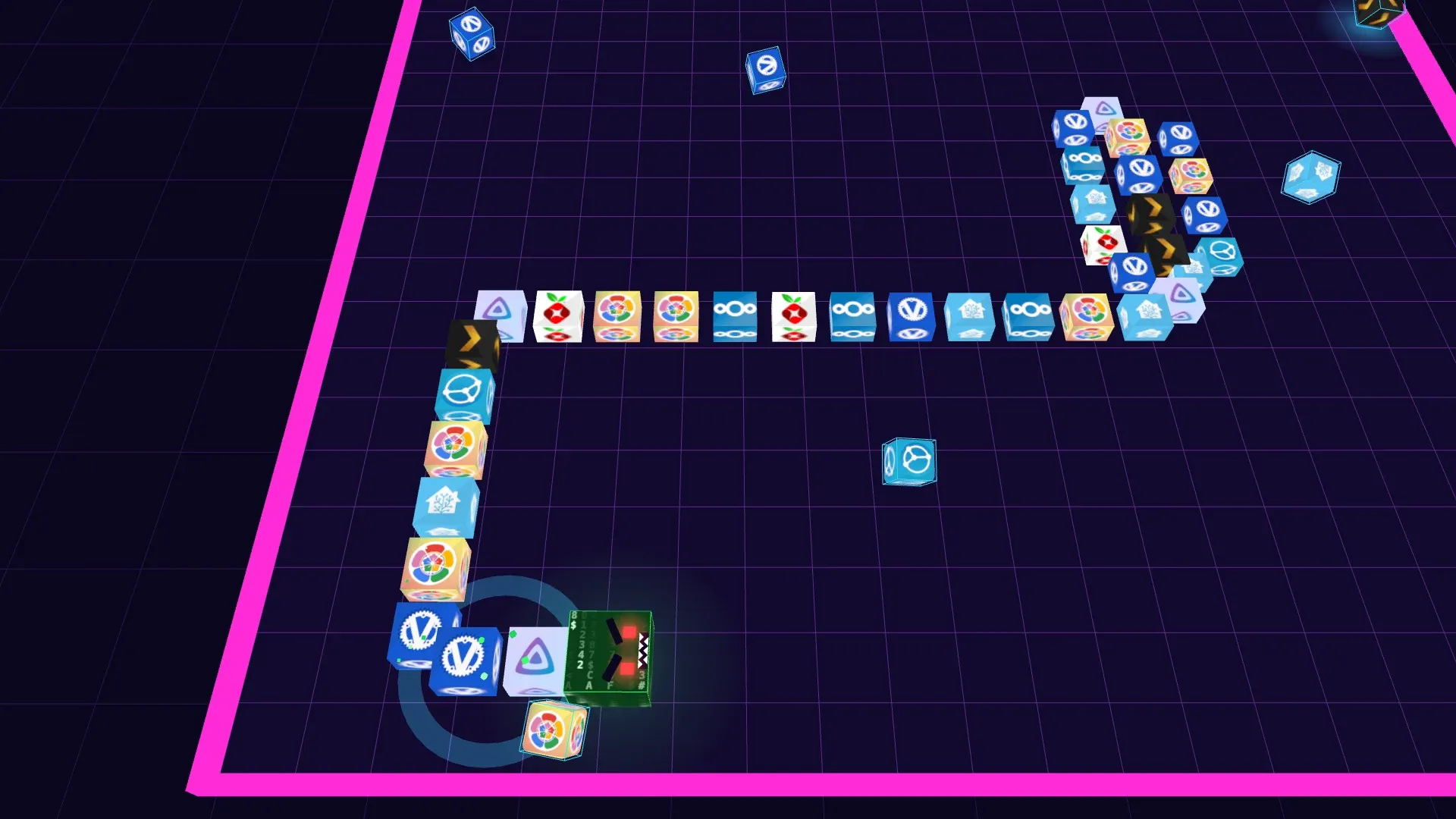
Now and then, after you eat a packet, a small terminal appears on the board, typing sudo -s, a password, whoami and finally root. It stays for eight seconds, blinking for the last two. Grab it in time and for eight seconds you’re root, which in Packet Snake means three things:
- • You go through walls, coming out on the other side of the board.
- • You go through yourself. For eight seconds, your tail is not your problem.
- • It rains packets. A new one drops onto the board almost every half second, up to eight at a time, and every one is a point.
The snake looks the part too: its head turns into a cube of falling green characters with red eyes, every segment of its body takes the icon of one of your apps, and it leaves a trail of green sparks behind it. In the last second and a half the head starts flickering to warn you, and when it ends, every packet you didn’t eat disappears. Make sure you’re not inside your own tail at that moment.
It Plays Itself on the Title Screen
Leave Packet Snake on its title screen and the snake plays by itself, just to show off. It heads for the nearest packet, avoids turns that would leave it with one way out, and prefers going straight when two paths are equally good. It’s not a genius (it gets itself trapped more often than you’d think), but it gets long enough to look good, and when it does, the board simply starts over.
Here it is, flattened into 2D and playing on this page. You can’t steer it, but you can skip ahead ten packets to watch the board grow and the snake speed up, or hand it a root shell:
2D recreation
Controls are the ones you’d expect: arrow keys or WASD on a keyboard, and swipes on a phone or tablet.
Your Best Score Follows You
Both games keep your best run saved to your account on your own HomeDock OS, not in your browser. Set a record on your PC at night and it’s there on your phone the next morning, and every person with an account on your box has their own. Neon Rush counts metres, Packet Snake counts packets, and the game-over screen tells you when you’ve beaten your own record.
How They’re Made: Zero Asset Files
This is the part we’re proudest of. Neither game downloads a single image, 3D model or sound file of its own. The only pictures they load are the icons of the apps you’ve already installed.
Both are built on
- • The road is a formula. Neon Rush’s highway is three sine waves added together for the curves and two more for the hills. Every frame, the game rebuilds the next 600 metres of tarmac as a ribbon of 150 segments around your car, along with the shoulders, the gravel and the road markings. There’s no level stored anywhere: kilometre 40 is computed the moment you reach it.
- • The scenery is grown, not placed. Palm trees come in clusters worked out from the distance along the road, mostly small groups of three or four, sometimes ten, and once in a while a full avenue of sixty to seventy palms lining both sides. The same distance always gives the same trees, so nothing needs to be saved.
- • Every model is built in code. The hatchback with its pop-up headlights, the three kinds of traffic, the palm trees, the tofu: all drawn as outlines and shapes in code and put together when the game starts. The cars on the road are drawn as instances, so eighteen of them cost the graphics card about as much as one.
- • Every texture is painted on the fly. The sky gradient, the striped sun, the asphalt, the gravel, the 豆腐 sign, the tofu block itself, Packet Snake’s grid and its falling green characters in sudo mode are all drawn onto hidden canvases with a few lines of code each.
- • The engine sound is synthesized, as you heard above. Two oscillators through a distortion and a filter, with a six-gear rev curve so you hear it shift up as you speed up, plus a whoosh for the boost, a rumble on the gravel, a screech when you drift, a thump for crashes and a three-note chime for every cube.
- • So is the music. Neon Rush’s soundtrack is a 120 BPM synthwave track in F minor, with an intro, verse, pre-chorus, chorus, breakdown and a final chorus with a lift, drum fills, arpeggios and a gliding lead. It’s written as notes in code and played by the browser’s Web Audio engine in real time. Packet Snake’s chiptune is the same idea in a 16-bar loop of square-wave melody, chords and bass, scheduled a fraction of a second ahead so it never stutters while it speeds up.
Neon Rush
Endless neon highway racer
audio files
- Road
- 5 sine waves
- Models
- built in code
- Textures
- painted on canvas
- Engine
- 2 oscillators, 6 gears
- Music
- 120 BPM, F minor

Packet Snake
Neon snake that feeds on your apps
audio files
- Board
- 18×18 to 30×30
- Packets
- your app icons
- Textures
- painted on canvas
- Effects
- square & triangle blips
- Music
- 150 to 240 BPM
The result is two games that weigh next to nothing, load in a blink the first time and never again after that, and look sharp on any screen, because there’s no texture to blur when you maximize the window on a 4K monitor.
Why Games in a Self-Hosting OS?
Because a home server is something you live with, not just something you configure. HomeDock OS is meant to feel like a desktop, and desktops have always had a little corner for fun. Waiting for a big image to download, for a backup to finish or for your Immich to process ten thousand photos is a lot more pleasant with a highway to race down.
And because they’re made of your own server. The cubes you grab and the packets you eat are the apps you chose to install, so no two people’s games look quite the same. It’s a small thing, but it’s yours.
Try It
Neon Rush and Packet Snake come with HomeDock OS 2.6, free to install on Linux, macOS, Windows or a Raspberry Pi. Open My Home, go to Games, and see how far you get before the traffic gets you. And if you beat 20 kilometres or a hundred packets, come and brag about it on
Thanks for being part of this journey ❤️
Related Links