
Use Case: Cloud Makers & Tech Enthusiasts

The Cloud Maker's Toolkit, Self-Hosting & Total Control

A deep dive into why HomeDock OS is the ultimate playground for Cloud Makers seeking digital autonomy, customization, and true data privacy.

01 · Cloud Makers

Stop renting your digital life

In short
  • Stop renting your apps from big tech.
  • Run them yourself, on your own hardware.
  • Build, manage and secure it your way.
Rented
  • Passwordsmonthly fee
  • File sharingmonthly fee
  • VPN servicemonthly fee
  • Cloud drivemonthly fee
Data minedVendor lock-inPrivacy is a checkbox
Owned, on your hardware
  • Vaultwardenrunning
  • FileBrowserrunning
  • WireGuardrunning
  • ownCloudrunning
Your services, your keys, your rules. Nobody else in between.

You're tired of renting your digital life. Your data is mined by big tech, your privacy is a checkbox, and vendor lock-in feels like a prison. For the modern tech enthusiast or Cloud Maker, the desire isn't just for tools, it's for digital sovereignty. This is where HomeDock OS steps in. We offer a potent combination of simplified self-hosting and total control, empowering you to build, manage, and secure your personal digital ecosystem exactly as it always should have been... Your way.

02 · The mindset

Why HomeDock OS Resonates with the Cloud Maker Mindset

In short
  • Made for people who love to explore and tweak.
  • Secure, and it grows with you.
  • Vaultwarden keeps your passwords in your hands.
ExploreTry apps from the App Store200+ appsone click
ModifyTweak each containerportsvolumesenv vars
MasterRun it like your own cloudmonitorsecureupdate
VaultwardenWho holds the keys to your passwords?Encrypted0 external depsKeys: you

HomeDock OS isn’t just software. It’s a modern cloud operating system that puts the power of self-hosting right at your fingertips, without the usual complexity. It speaks directly to the Cloud Maker's drive for digital autonomy, customization, and true data privacy. At their core, every great maker is a tinkerer, someone who thrives on exploring, modifying, and mastering their tools. We offer a secure and scalable environment, ideal for those who want full control over their digital life and a way out of big tech’s constant surveillance.
Vaultwarden icon

Forget the garden, trust Vaultwarden

Self-host your password vault with full encryption, no subscriptions, and total control over your digital security.

Get Vaultwarden
Vaultwarden
Vaultwarden Screenshot

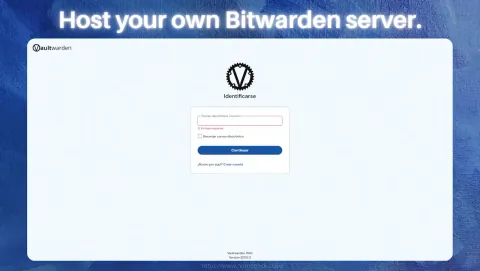
Like Vaultwarden, for example. It's a self-hosted password manager that gives you full control over your credentials, without relying on cloud providers. With strong encryption and zero external dependencies, it's the kind of tool a Cloud Maker would trust, because no one else should hold the keys to your data.

03 · Simplified

How Simplified Self-Hosting Becomes a Reality

In short
  • Over 200 apps, one click each.
  • Runs on Windows, macOS and Linux.
  • FileBrowser shares any folder on the web.
One self-contained coreThe same HomeDock OS on every machine
WindowsDesktop appmacOSDesktop appLinuxServer or Pi
What it needs from your system
dependencystatus
Python corebundled
Docker setupsgraphical
systemctlnot needed
init systemnot needed
native Linux commandsnot needed
FileBrowser turns any folder into a web file managerGET

Self-hosting can often feel like a fortress, built for command-line wizards and hard to access for everyone else. HomeDock OS tears down that wall. With over 200 one-click install applications in our App Store, complex Docker setups become simple, graphical experiences. And thanks to its Python core, HomeDock runs locally on Windows, macOS, and Linux, allowing you to repurpose any hardware into a private cloud. This cross-platform flexibility brings real self-hosting power to users who don’t live in the terminal but still want full control over their digital infrastructure.

Thanks to HomeDock OS Desktop, we're also bringing open source where it rarely goes: into the hands of everyday users on Windows and macOS. And because the core of HomeDock OS is a self-contained monolith with zero system-level dependencies, it runs without relying on systemctl, init systems, or native Linux commands. That means full functionality across almost any environment, with no compromises.

FileBrowser icon

Power user? Meet FileBrowser

Browse, manage and share your files with style and full control, wherever you are, at home, at work, or on the go.

Get FileBrowser

One clear example is FileBrowser. Whether you're on Windows, macOS, or Linux, you can instantly turn any folder into a web-accessible file manager. No command-line needed, no external storage services, just full control over your files, accessible from anywhere. It’s the perfect showcase of what simplified self-hosting truly means.

04 · Total control

The Ultimate Goal: Achieving Total Control

In short
  • See all your services in one place.
  • No lock-in: apps and data are yours.
  • Secure HTTPS is on by default.
Control Hub
Search apps...
Name
CPU13.9%
Memory31.2%
Apps(5)
ownCloud6.8%412 MB
FileBrowser3.1%48 MB
Pi-hole2.4%96 MB
WireGuard1.2%22 MB
Vaultwarden0.4%38 MB
Control Hub
Native SSLHTTPS by default, self-signed tooSecure defaultsEntrypoints hardened on installYour hardwareApps and data stay with you

With HomeDock OS, you get a complete, unified view of the status of all your services. Your dashboard becomes your command center. A significant advantage is freedom from vendor lock-in. Your applications and data reside on your hardware, ensuring you maintain true ownership.

This power extends to configuration. You can tweak settings, manage resources, and customize your setup to perfectly match your needs. That includes your security posture. HomeDock OS provides native SSL by default, even with self-signed certificates. Many applications inherit this certificate during installation, and those that don't will soon follow, as we commonly override entrypoints to enforce secure defaults.

  • Firefox iconFirefoxFast, private web browser for all devices.Get
  • JDownloader 2 iconJDownloader 2Simplify and automate your download tasks.Get
  • Open VSCode iconOpen VSCodeCloud-based code editor for developers.Get
  • FacturaScripts iconFacturaScriptsPowerful invoicing and accounting software.Get
  • Chromium iconChromiumBrowser powering modern web applications.Get
  • FileZilla iconFileZillaRobust FTP client for file transfers.Get
  • Disavow Generator iconDisavow GeneratorThe fastest way to generate Google Disavow files.Get
  • Planchette iconPlanchetteAI-powered spirit board for interactive conversations.Get
  • Opera iconOperaFeature-rich web browser with VPN support.Get
  • Sonarr iconSonarrAutomate TV show downloads with torrent.Get
  • NGINX iconNGINXHigh-performance web server and reverse proxy.Get
  • CodeServer iconCodeServerRun Visual Studio Code on your server.Get
  • Grav iconGravFlat-file CMS for lightweight websites.Get
  • ProjectSend iconProjectSendShare and manage files securely with clients.Get
  • WebCord iconWebCordElectron-based Discord client for desktop users.Get
  • Grocy iconGrocySelf-hosted groceries and household management.Get
  • MeTube iconMeTubeDownload videos and manage local media.Get
  • Navidrome iconNavidromeStream your music library from anywhere.Get
  • Audacity iconAudacityEdit and record audio with professional tools.Get
  • GhostInk iconGhostInkWrite invisible secret messages inside emojis.Get
  • GitHub Desktop iconGitHub DesktopVersion control with GitHub's desktop client.Get
  • Kavita iconKavitaSelf-hosted reading server for comics and books.Get
  • The Atlas iconThe AtlasA whole universe simulation, on your pocket.Get
  • VSCodium iconVSCodiumFree, open-source Visual Studio Code alternative.Get
  • Minecraft Server iconMinecraft ServerHost your own Minecraft worlds for multiplayer fun.Get
  • Lychee iconLycheePhoto management with sleek interface.Get
  • Emby iconEmbyPersonal media server for streaming content.Get
  • darktable icondarktablePhoto and image editor for professionals.Get
  • Altus iconAltusWhatsApp client with multiple account support.Get
  • ownCloud iconownCloudFile storage and synchronization solution.Get
  • WireGuard VPN iconWireGuard VPNFast, secure, and modern VPN protocol solution.Get
05 · In action

HomeDock OS in Action: Full Control Over Your Digital Presence

In short
  • Run your own VPN instead of paying for one.
  • You hold the keys and choose who connects.
  • Media, 3D printing, PDFs, cloud storage and more.
On the goAny network, any café
wg0 · UDP 51820Encrypted tunnel
Home
WireGuardon HomeDock OS
your LAN
peerallowed iphandshake
laptop10.8.0.2/3212s ago
phone10.8.0.3/3248s ago
tablet10.8.0.4/323m ago
Media server3D printingPDF toolsCloud drive

Let's move from theory to practice. A Cloud Maker knows that owning your platform is the ultimate form of control. Instead of relying on third-party VPN services with limited trust and high monthly fees, why not deploy, manage, and scale your own WireGuard server? With HomeDock OS, it's trivial to spin up a secure, self-hosted VPN, giving you full control over encryption keys, peer access, and traffic routing.

WireGuard icon

Secure your yard with Wireguard

Install your own VPN server at home or in the Cloud with WireGuard VPN and take full control of your network privacy.

Get WireGuard
WireGuard
WireGuard Screenshot

This is just one example. Your HomeDock OS instance is a versatile digital workshop for a huge range of tasks, from hosting media servers to managing specialized workflows like 3D printing, sensitive PDF processing, and personal cloud storage. The only limit is your imagination.

06 · Privacy by design

Data Privacy by Design

In short
  • Privacy is built in from the start.
  • Your data never leaves your hardware.
  • ownCloud replaces Google Drive or Dropbox.
Your hardware
ownCloudEncrypted, self-hostedFilesCalendarsContacts
No third-party data mining
Your rulesyou decide
actionwhowhat
ALLOWyoufiles
ALLOWfamilycalendars
ALLOWyour phonecontacts sync
DENYthird partieseverything
Your data stays on your hardware, under your physical and digital control.

Our core philosophy is Data Privacy by Design. The system is architected with your privacy as a fundamental, non-negotiable principle. When you self-host, your data stays on your hardware, under your physical and digital control, drastically reducing exposure to third-party data mining. We provide the framework, but you define the rules.

Take ownCloud, for example. Instead of trusting your documents, calendars, and contacts to big tech platforms, you can deploy your own secure, self-hosted cloud with full encryption and access control. With HomeDock OS, running ownCloud is just a click away, turning your instance into a true private alternative to Google Drive or Dropbox.

ownCloud icon

We sayin' it loud... It's just ownCloud

Install ownCloud and sync files, calendars and contacts with full encryption, control and seamless remote access anywhere.

Get ownCloud
07 · Get started

Embark on Your Journey to Digital Independence

In short
  • Simple, in your control and private.
  • Download HomeDock OS for free.
  • The docs help you every step.
Simple self-hostingTotal controlPrivacy first
Your homelab roadmap1 / 5
  1. Download HomeDock OSWindows, macOS or Linux
  2. Host your password vaultVaultwarden
  3. Spin up your own VPNWireGuard
  4. Move your files homeownCloud
  5. Keep tinkeringWith the docs at hand

HomeDock OS offers a powerful combination for the modern Cloud Maker: it delivers simplified self-hosting, gives you total control, and puts your data privacy first. It puts you firmly in the driver's seat of your digital experience.

Ready to reclaim your digital autonomy? Download HomeDock OS today, explore our comprehensive documentation, and start building your private cloud.

HomeDock OS

Reclaim your desktop. Turn it into your private cloud.

WindowsDesktop appmacOSIntel & Apple SiliconLinuxOne-line install
Get HomeDock OSFree download • Available to install on all platformsAccessible from any device, anywhere